|
|
Register your Mobile Tracker Device with MAP using Sample Apps
Provision a New Device
Provisioning your device adds your mobile tracker device into the MAP system by referencing its IMEI or MAC address number. To provision a new device:
- Select the Devices option within the toolbar, the Provision a New Device page will be displayed.
- Configure the following settings within the Provision a New Device page:
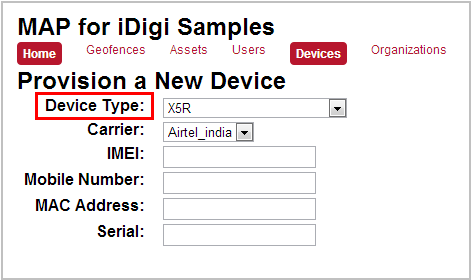
- Select the device type matching the mobile asset tracking device (XTrak3, X5R, or WR44R) from the Device Type drop-down menu. For this example, a ConnectPort X5 R was selected.
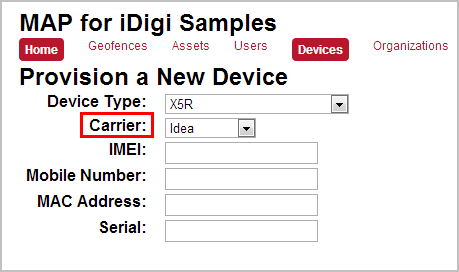
- The Carrier field is currently unused; however, a carrier must be selected for successful device registration. Select any carrier from the Carrier drop-down menu.
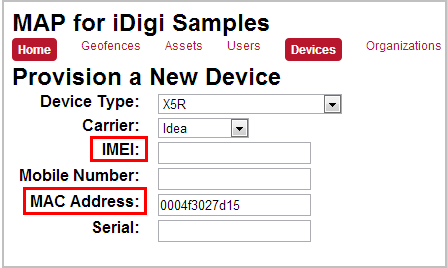
- IMEI or MAC Address - This number uniquely identifies the mobile tracker device and can be found on the label on the bottom of the device. Enter the IMEI or MAC address of your device into the corresponding field (a sample MAC address was used for this example to correspond with the X5 R device selected previously). Usage by device is as follows:
- X-Trak 3 - IMEI
- ConnectPort X5 R - MAC Address
- TransPort WR44 R - MAC Address
Note: IMEI or MAC address should be entered using the following format (XXXXXX:XXXXXX (with or without the colon) or XX:XX:XX:XX:XX:XX).
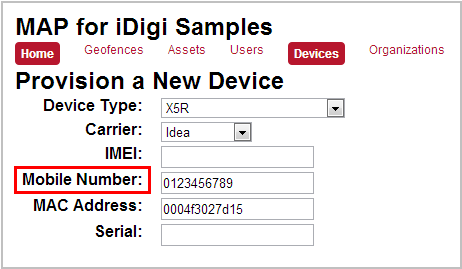
- Enter the phone number associated with your device's SIM card into the Mobile Number field.
- The Serial field is optional. You can use this field for storing a unique ID for the asset, such as license plate number, taxi ID, etc.
- Click the Save button to save your changes.
You've completed the process of provisioning a new device. Proceed to the Create an Asset section where you will create an asset object to be tracked.
Back to Step 3 | Move to Create an Asset
|